Case Study 2025

Tellyplus
Web Dashboard.

My Role Sole UI/UX Designer
Platform Web Desktop-first
Duration Completed 2025
Deliverables Design System · Web Screens · Handoff
Tellyplus dashboard overview

01 Overview

One business.
Every host.
Fully controlled.

Tellyplus is a web-based admin dashboard built for businesses that employ multiple hosts. Unlike Tellycom — where each host operates independently like a freelancer — Tellyplus puts everything under one roof. The Business Admin manages hosts, controls scheduling, and centralizes all earnings into a single business account.

Web Dashboard Business Admin Host Management Centralized Earnings Analytics

02 Problem

Managing a team
of hosts is
chaos.

When a business grows beyond one host, the cracks start to show. Who's earning what? Which hosts are active? Where did the money go? Business owners had no central place to see their team's performance, control host access, or track revenue at a business level.

Tellyplus solves this — giving the Business Admin a command center to manage every host, monitor every booking, and keep all earnings flowing to the business account instead of scattering across individuals.

Centralized Earnings
All host bookings flow into the business account — not individual payouts. The admin decides payout structure.
Host Management
Add, activate, deactivate, or manage every host from one place with full visibility into their performance.
Business-Level Reports
Revenue trends, host performance, service analytics, and geo reports — all in a single reports view.

03 Key Screens

What the admin
sees every day.

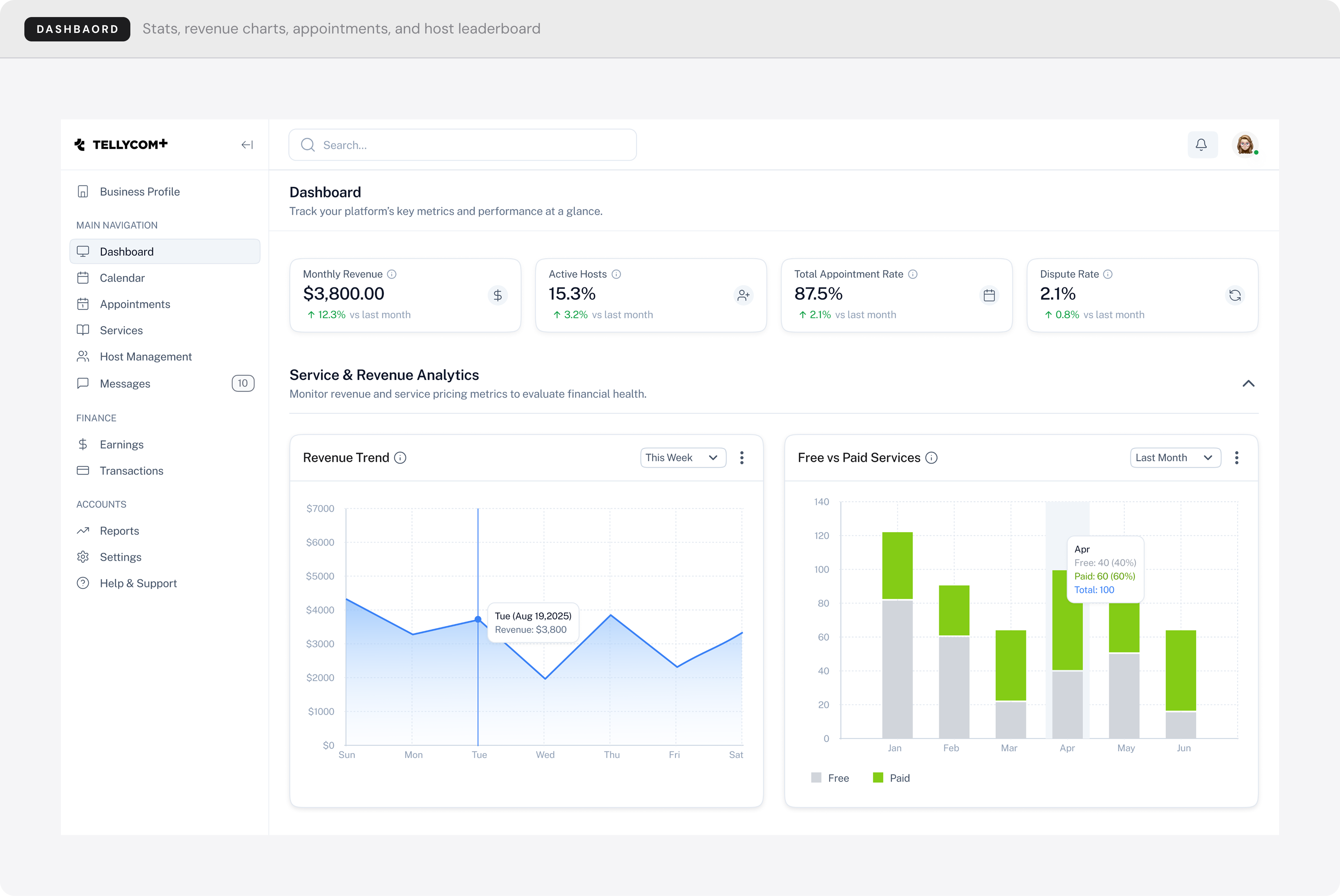
Dashboard
The command center — monthly revenue, active hosts, appointment rate, dispute rate, revenue trend vs free/paid services, appointment monitor, action center, and dual leaderboards for top hosts and top services.
Tellyplus Dashboard
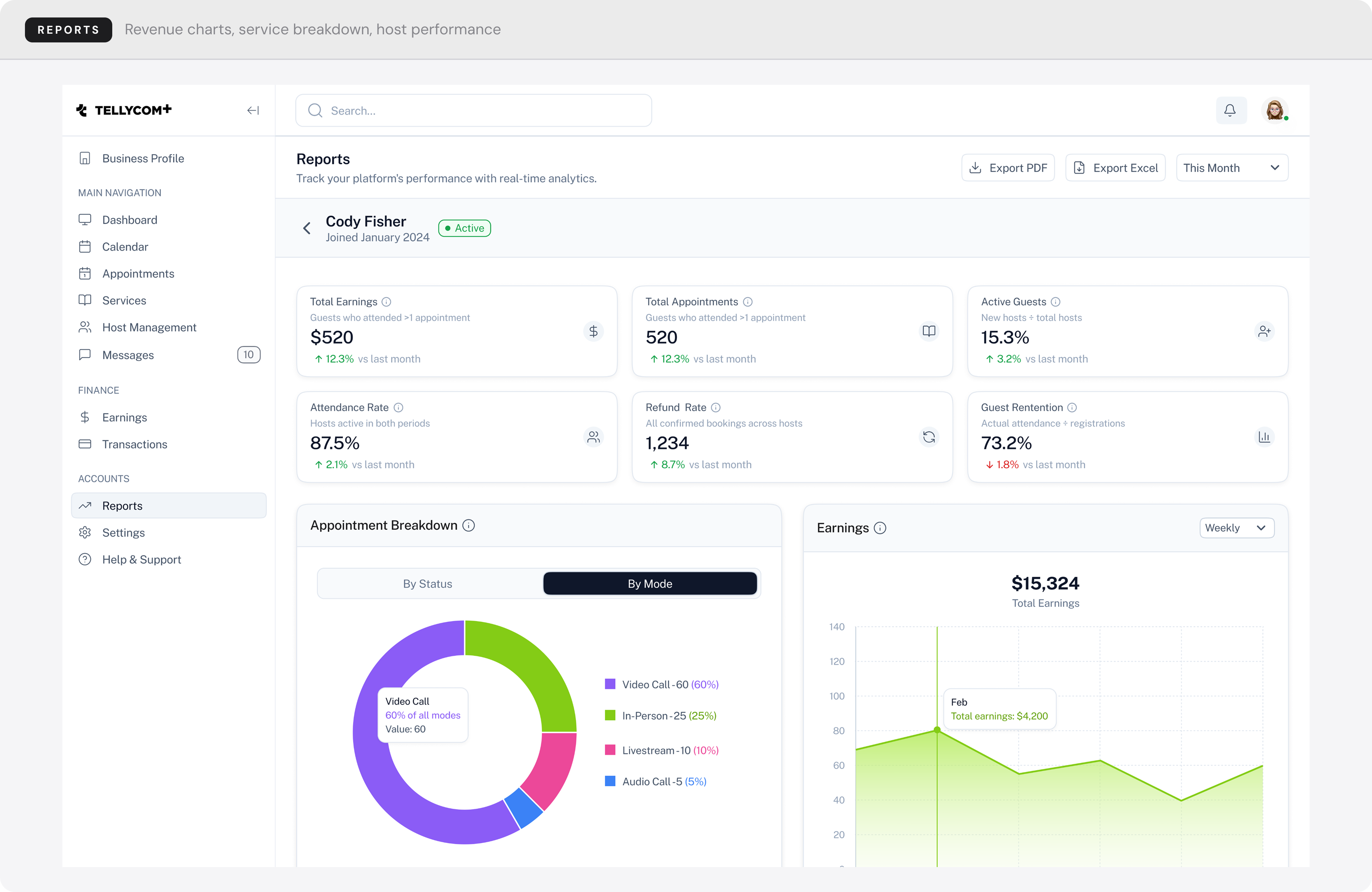
Reports
Revenue trends, service analytics, host performance, and a geographic bookings map.
Tellyplus Reports
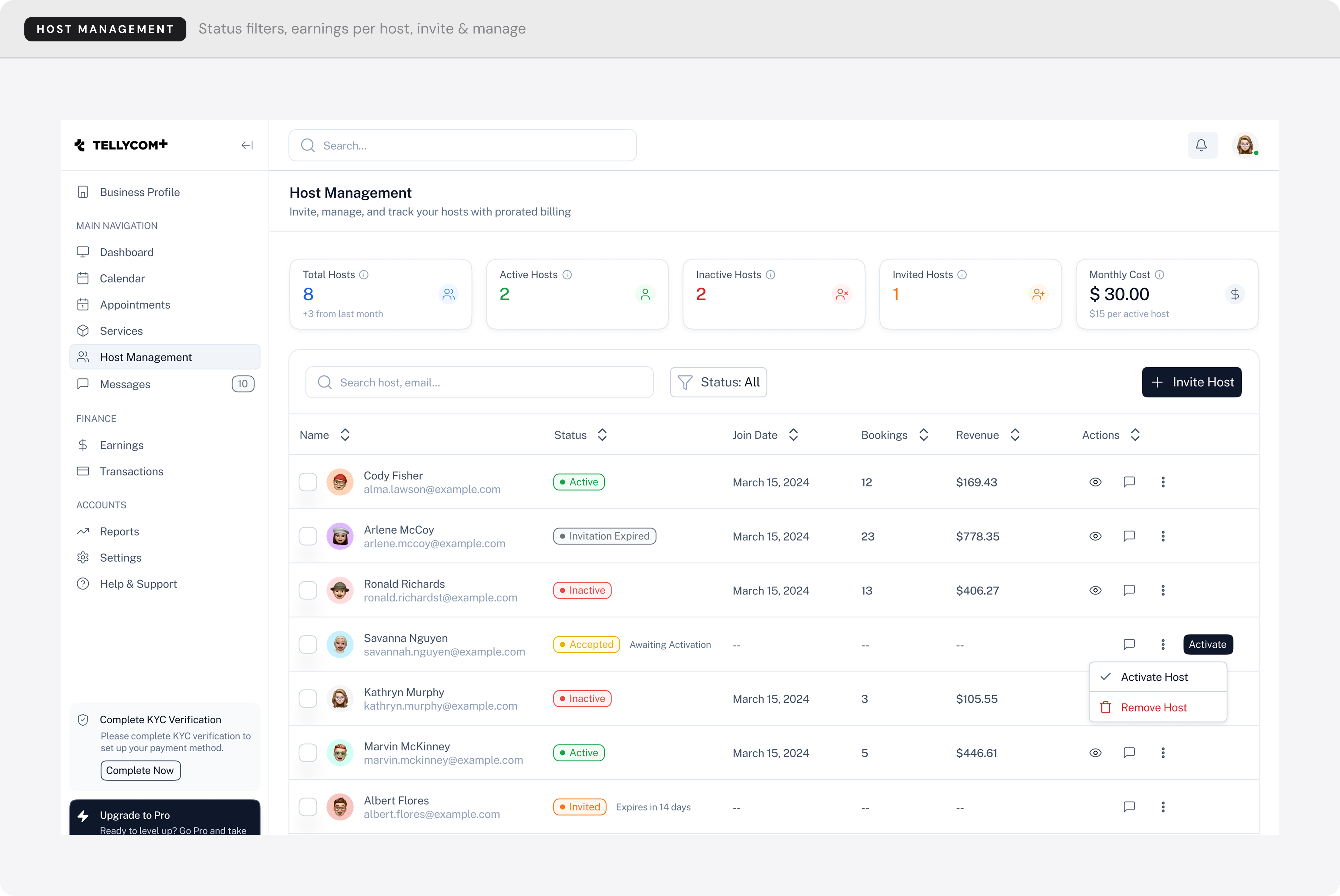
Host Management
View, filter, and manage every host in the business — with status, earnings, and appointment data per host.
Host Management
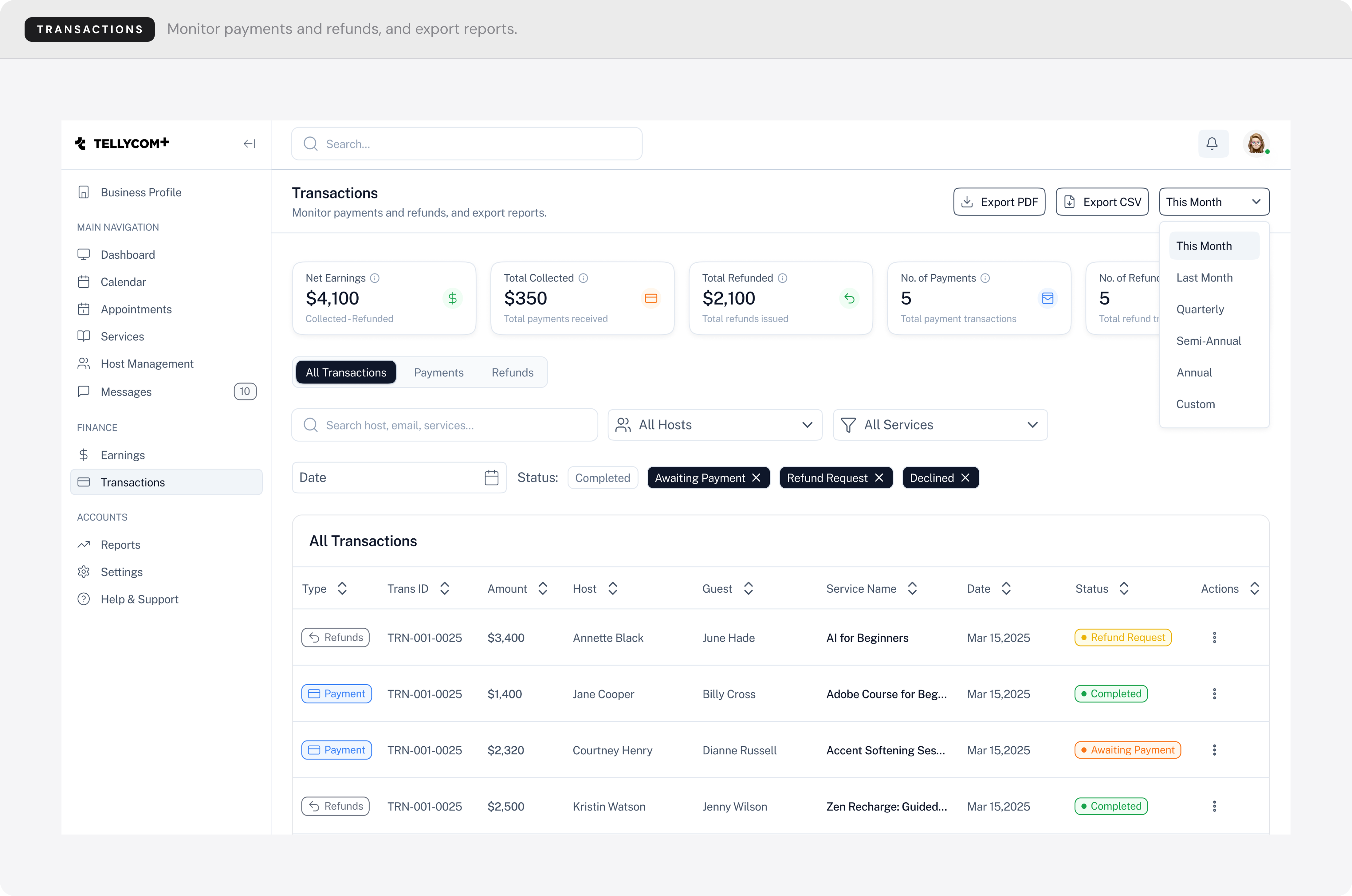
Transactions
Tellyplus Transactions

04 Design Decisions

Why it's built
this way.

1
White sidebar over dark navigation
Admins spend long sessions in this product. A dark sidebar creates visual weight that works against extended use. White recedes — it keeps focus on the data, not the chrome.
2
Business-level aggregates as the default view
A Business Admin oversees many hosts at once. Defaulting to per-host data would force them to mentally combine numbers. The dashboard shows total earnings, bookings, and attendance first — with host-level detail on drill-down.
3
Three-state host status: Active, Pending, Inactive
A binary Active / Inactive toggle misses a real state — invited but not yet onboarded. Pending makes that visible and unlocks a contextual action (resend invite) without cluttering the UI for hosts who don't need it.
4
Simultaneous filters across time, host, and service
Most dashboards apply filters sequentially. Reports needed to answer compound questions — "which host underperformed in which service this month?" — in one step, not three. All filter dimensions are set at once.

05 Challenges

What made this
hard.

1
Designing for a user I couldn't directly observe
I had no access to real Business Admins during the design phase. I built the persona through proxy research — studying similar B2B tools and extrapolating from Tellycom host behavior — which meant every assumption had to stay transparent and reversible.
2
Maintaining brand cohesion across two distinct products
Tellyplus and Tellycom share a brand but serve completely different users. Too much alignment would blur the distinction; too much divergence would fracture the identity. I kept surface tokens (type, color) consistent while diverging entirely at the structural level.
3
Making financial data readable without over-simplifying it
A single earnings number is useless to a Business Admin — they need to know which service drove it, which host earned it, and whether any of it is at risk. The challenge was showing enough granularity to be actionable without flooding the screen with raw data.

06 What I Learned

Designing for
power users.

Data density is a feature
Business admins are power users. They want more information per screen — not simplified cards. Learning to present dense data clearly without overwhelming the user was the central design challenge.
Designing a sibling product
Tellyplus shares brand DNA with Tellycom but serves a completely different user. Maintaining visual consistency while adapting the UX paradigm from mobile-first to desktop-first required careful design system thinking.
Solo ownership speeds decisions
As the sole designer, I made every call — from IA to component design to handoff. Working solo sharpened my ability to move fast, document clearly, and own every design decision end-to-end.
Back to
All work
← Portfolio